Rivage Controls
Full controller support, keyboard and mouse, DualSense haptics on PS5. Confirm every bind in the in-game remap menu.
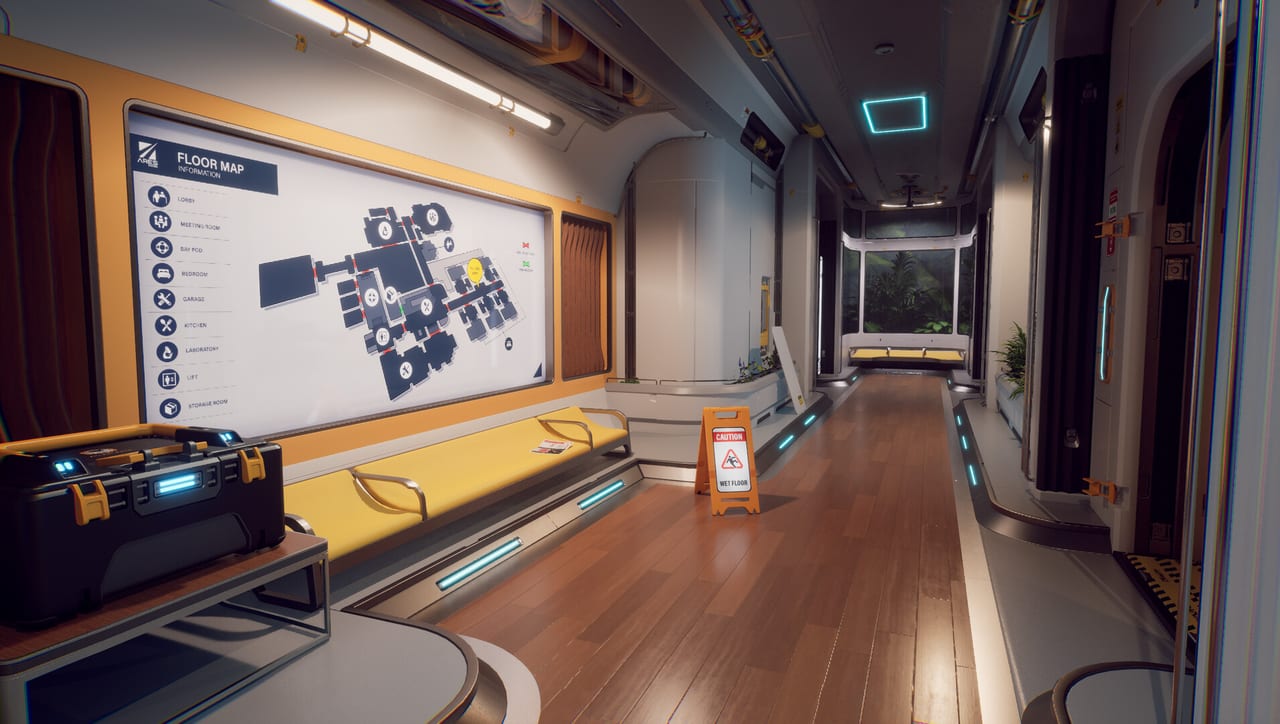
Rivage is a first-person Unreal Engine 5.7.4 adventure. You walk Miranda Vigneau through station A.R.E.S., read props, rotate cubes, and open the K9 implant without a combat layer getting in the way. Steam lists full controller support. PlayStation 5 adds DualSense haptics. Keyboard and mouse are first-class on PC. This page describes those families. It does not invent a key table, because Exnilo can still move binds before September 22, 2026, and because the in-game remapping menu is the only list that matches your copy.
Open that menu before your first real loop. If a prompt says interact and nothing happens, it is almost always a bind or a distance issue, not a broken machine. Confirm look inversion, stick dead zones, and the K9 / flashlight action so you are not hunting the options screen during a blackout.
Keyboard and mouse (PC defaults to expect)
Rivage follows ordinary Unreal first-person grammar. Until the remap screen says otherwise, expect:
- WASD to walk. Slow down in cabins; labels are easy to miss at sprint speed.
- Mouse look to aim at screens, barcodes, and reader slots.
- Interact / use on a nearby context key (often a left-side letter in Unreal templates) for computers, safes, batteries, and arcade cabinets.
- Secondary use / grab for rotating physical puzzles such as the astro lab cube or a color panel face.
- K9 as its own action, not as “inventory.” Logs, screenshots, and the flashlight live here.
- Screenshot / log capture from inside K9 when you see a code you will not remember.
- Pause / options for remap, brightness, and language.
Do not memorize this paragraph as a gospel overlay. If your install rebound interact, believe the overlay on screen. The getting started guide assumes you can sit at Miranda’s computer on loop one; if you cannot, stop and remap before you spend station power wandering.
Mouse look matters more than people expect. Barcode reconstruction in the demo path is a drag-and-click task. A high sensitivity that feels fine in a corridor will overshoot digits. Drop it for puzzle rooms. Raise it again if the kitchen-to-pharmacy run makes you seasick from tiny turns.
Controller (every platform)
Full controller support means you can finish Rivage without a keyboard, including the Steam build. Expect a standard first-person pad map:
- Left stick walk, right stick look.
- Face button interact (bottom face is the usual Unreal “confirm / use”).
- A shoulder or trigger for analog walk versus a short step in tight cabins.
- A face or d-pad slot for K9, and a separate slot or hold for the flashlight once the grid dies.
- Start / menu for pause and remap.
Hold the pad in a real corridor before you commit. Interact on a trigger can make battery seating feel good and menu clicking feel worse. Interact on a face button is easier on computers and worse if you also use that thumb to look. There is no combat roll to protect. Pick comfort.
Steam Input and Xbox controllers are both valid on PC. If icons disagree with the physical pad, fix it in Steam’s controller layout or in the in-game map, not by guessing from a wiki. Rivage is single-player only, so you are never fighting a second pad for focus. One device at a time avoids Unreal grabbing the wrong camera.
DualSense on PlayStation 5
PS5 is the haptic showpiece. DualSense haptics are confirmed for Rivage. Expect feedback on physical machines, power state, and impacts with the environment rather than on gun recoil that does not exist. Adaptive triggers, if present in your build, should be felt on grabs and panel drags. If a trigger is rock-hard in a menu, check accessibility or trigger intensity in system settings before you assume a bug.
The touchpad is a common place for Unreal projects to park map or log shortcuts. Do not assume it is dead. Glance at the PS5 control screen once. Speaker cues, if any, are flavor; they are not a substitute for the K9 flashlight when the station warns about light intensity.
Xbox Series X|S and the Microsoft Store (Xbox Play Anywhere) use the Xbox pad with the same full-support promise. Haptics there follow Xbox impulse, not DualSense. Play the platform you own; the puzzles do not change.
Actions the demo actually demands
The dedicated demo path is a good control test because it asks for several verbs in one hour:
- Typing. Password recovery on Miranda’s computer (K, then 000, then a birthday). A pad will use an on-screen keyboard. Take your time; a wrong birthday is a wasted prompt, not a wasted loop, unless you storm out and open extra rooms in frustration.
- Safe entry. Stardust is a word, not a stick-flick. Screenshot the hint in K9 so you are not hunting the alphabet under low light.
- One-item carry. Picking up a pharmacy battery is interact. Seating it is interact again. There is no “stack.” See the walkthrough if the logistics are the confusing part rather than the button.
- Drag reconstruction. Broken keycard barcodes want slow pointer movement. Mouse is precise. Pad aims with a stick; lower look speed.
- Audio jigsaw. You need to hear. Do not bury dialogue under a music slider you cranked in another game.
- Arcade reset. Time Trickster is an interact, not an automatic game-over. You can walk past it with the flashlight still on.
If a physical cube will not rotate, you are probably still in walk mode. Look for a grab prompt. If the prompt never appears, back up. Unreal interaction traces fail when you stand inside the prop.
Comfort, language, and launch setup
Brightness and HDR matter on A.R.E.S. because the fantasy is readable clutter. If subtitles help, turn them on; English has full voice, and other languages ship as UI plus subs. This wiki’s other locales are French, German, and Spanish, but the game also lists Japanese, Korean, Simplified Chinese, Russian, and Brazilian Portuguese in the client.
Head bob and field of view, if exposed, are worth a minute in options. The station is not a shooter, but long first-person sessions in crew corridors still produce nausea. Sit, do not stand, for the pharmacy run.
Confirm system requirements on PC so frame time stays stable while you drag a barcode. A hitch in that puzzle feels like a missed click. Steam Cloud will keep settings on the full game; the demo’s local copy is a separate install and does not carry saves or, necessarily, every option you tweaked there.
When a launch patch remaps a default, trust the in-game list and the news page. This wiki will not freeze a letter key as if it were a law. For everything else about how those inputs spend your day, return to the guides hub and play the next loop on purpose.
Frequently Asked Questions
Quick answers to the most common questions.
Does Rivage support a controller?
Yes. Rivage ships full controller support on PC, PlayStation 5, and Xbox. Confirm your map in the in-game remapping menu before the first loop.
What are the keyboard binds?
Expect Unreal first-person defaults such as WASD, mouse look, and a nearby interact key, with flashlight and logs on K9. Do not treat this as a frozen table; check remaps in your build.
Does DualSense do anything special?
PlayStation 5 includes DualSense haptics. Feel for feedback on machines and power state. Trigger and touchpad extras, if any, are listed on the PS5 control screen.
Can I play Rivage with only a keyboard?
Yes on PC. Keyboard and mouse can complete every demo-path verb: typing, safe words, battery seating, barcode drags, and Time Trickster.
Why won't interact work on a cube or door?
Step back until the prompt appears, confirm the bind in options, and check keycard level. A smashed cabin door can ignore a valid card; that is a world state, not a dead key.